
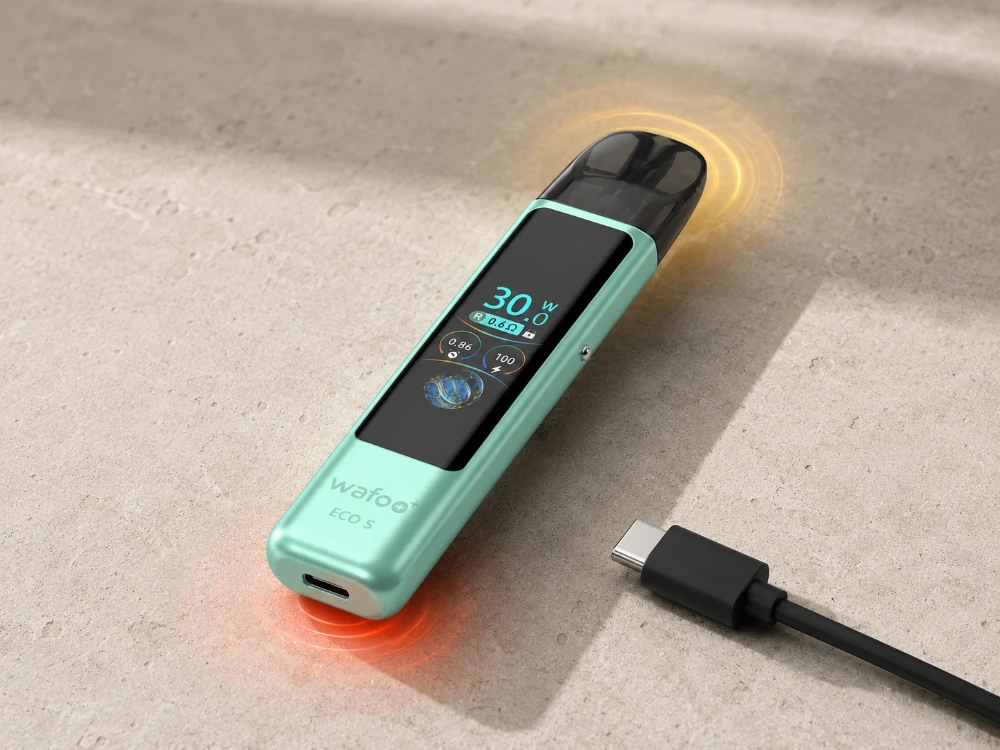
Heat near the pod after several long draws tells a different story from heat around the charging port while a device is sitting untouched. The first may fade with the coil’s recent workload. The second has no obvious connection to a draw. Location and timing narrow the problem before anyone changes a setting or tries another cable.
One complete stop-use rule is enough: if the device becomes painful to hold, heats while idle, swells, leaks near the electrical area, crackles unexpectedly, or gives off an unusual odor, stop using it. If it is safe to do so, disconnect it from power and place it on a non-flammable surface away from people and loose materials. Do not keep testing it. Those signs are a vape heat warning, not an invitation to troubleshoot by trial and error.
Start With Where the Heat Appears
The pod area is where e-liquid is heated during a draw. Mild warmth there after repeated use can be normal vape warmth, especially if it fades once the device rests. Note where the warmth was first noticed; do not keep handling the device if it is uncomfortable to touch.
Heat at the Type-C port points to a different set of checks: cable condition, lint or liquid inside the port, room temperature, and whether the device was covered while charging. Heat in the center of the body while the device is idle deserves more caution because there is no active draw to explain it.
Vape overheating is about more than a warm surface. The useful clues are where the heat starts, how quickly it rises, and whether it falls after use or charging stops. Record those details once. Repeating the same long draw or reconnecting the cable can make the situation harder to judge and may add more heat.
Timing Separates Workload From a Warning
When someone asks, “why is my vape getting hot?”, the next question should be “when?” Warmth after several close-together draws may come from the coil working without much time to cool. A device left on a sunny dashboard may already be warm before the first draw. A device that heats only after the charging cable is connected belongs in the charging check, not the airflow discussion.
For this article, normal vape warmth means mild pod-area warmth after repeated draws that eases during a rest. Heat at the charging port or in the body should be recorded as a separate event rather than folded into that definition. A problem pattern continues to rise, returns under ordinary conditions, or appears in a place that does not match recent use.
Environment can blur the difference. Bedding traps heat. A closed bag has little airflow. Liquid around the pod base can migrate toward the device cavity. Before judging a setting, move the device to a dry, open indoor surface and let it cool without charging. Then inspect the pod base, cavity, cable, and port.
The question “why is my vape getting hot?” becomes much easier to answer when it includes a sequence: the device sat in a car, the pod was refilled, three long draws followed, and the warmth appeared beside the pod. That account is more useful than “it got hot,” both for the user and for the team receiving the product inquiry.
ECO S Turns Hidden Conditions Into Visible Details
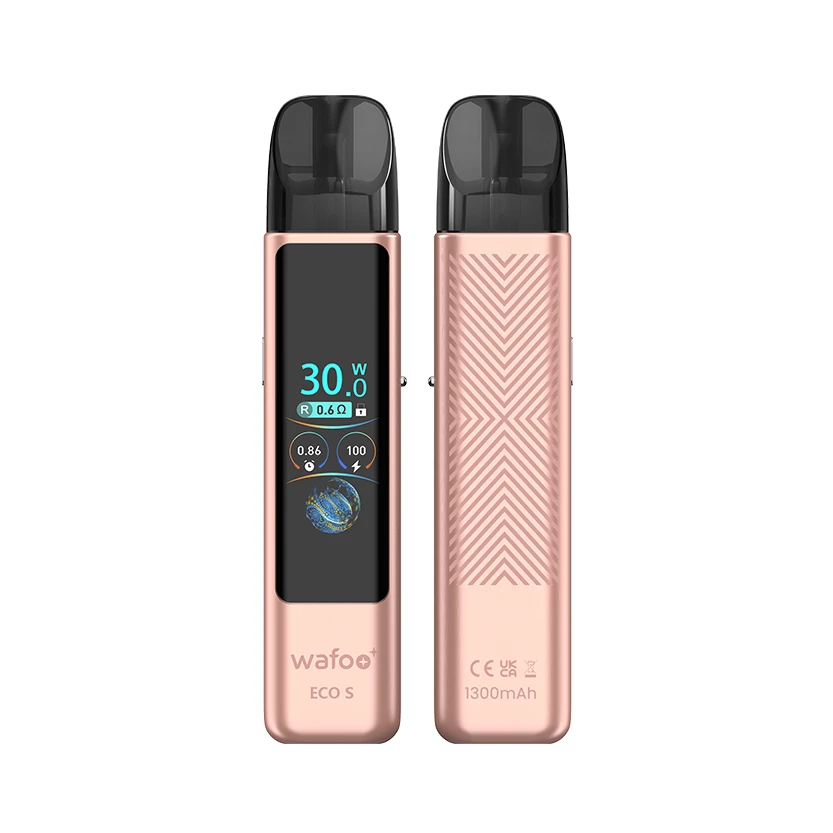
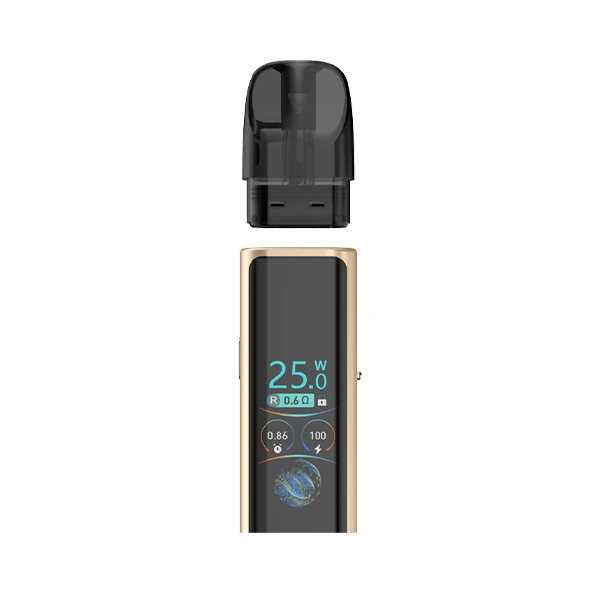
ECO S gives the user several visible reference points. Its refillable pod system includes a 1.47-inch TFT color screen that shows battery level and selected wattage. If unusual warmth follows a setting change, the displayed number can be recorded instead of changed repeatedly in search of a cooler result.
Power adjusts from 15 W to 30 W in 0.5 W steps. That fine control is useful during normal operation because an adult user can return to a known setting rather than jumping between broad levels. Adjustable airflow provides another normal-use control, but it should be changed for draw preference, not used to hide unexplained heat in the battery body or charging port.
The transparent 2.0 ml side-filling pod adds a physical check before charging. The liquid level, fill area, and outer pod wall can be seen without opening the tank. If liquid is visible around the base, the pod can be removed and the area dried while the device is cool and disconnected. Open and closed pod compatibility also gives a retailer a precise question to ask: which pod format was installed when the heat appeared?
ECO S uses a built-in battery with Type-C charging. WAFOO’s advantage in this troubleshooting context is visibility and control: the screen exposes the setting, the transparent pod exposes the liquid area, and the adjustable system gives support staff specific facts to collect instead of a vague complaint.
For shops and distributors, that changes the counter conversation. Ask for the displayed wattage, battery level, pod format, heat location, number and spacing of recent draws, cable used, and whether the port or pod base was wet. These details help separate a normal-use question from a unit that should remain out of service.
Charging Heat Is a Separate Case
When a vape gets hot when charging, disconnect it from power if it is safe to do so, then stop checking it. Leave it on a dry, open, non-flammable surface. Do not cover it, place it on bedding, or immediately switch to another cable for a second test. Wait until the body has cooled.
Look at the Type-C port under good light. Lint, liquid, visible damage, or a loose connection changes the next step. Check the cable as well, but do not assume that a different cable makes a repeatedly hot device acceptable. Charging should happen in a stable indoor environment, not inside a closed bag or a vehicle warmed by the sun.
If a vape gets hot when charging more than once under ordinary conditions, leave it disconnected and send WAFOO the model name, displayed battery level and wattage, heat location, charging environment, cable details, and any visible liquid through the WAFOO support team. A photo of the pod base and charging port can make the report clearer. The team needs the conditions around the event, not another round of user testing.
A charging problem becomes a vape heat warning when the heat is uncomfortable, continues after disconnection, appears with swelling or odor, or returns without an obvious external cause. At that point, settings and airflow are beside the point. Keep the device out of use until the appropriate support decision is made.
Conclusion
Vape overheating is easier to assess when the report begins with location and timing. Pod warmth after repeated draws, port heat during charging, and body heat while idle are not interchangeable events. Treating them as different observations produces a better decision and a clearer support request.
With ECO S, the TFT display shows wattage and battery status, while the transparent side-filling pod keeps the liquid area open to inspection. Those features cannot diagnose a fault, but they make the conditions around it far less vague.
FAQs
Q1: Is normal vape warmth dangerous?
A1: Mild pod-area warmth after several draws can occur and should ease during a rest. Stop using the device if heat keeps rising, spreads through the body, appears while idle, or becomes uncomfortable to hold.
Q2: What should I do if my vape gets hot when charging?
A2: If it is safe to do so, disconnect it from power and let it cool on a dry, open, non-flammable surface. Check the port, cable, and pod area for liquid or damage. Do not reconnect it simply to see whether the heat returns.
Q3: What information should I send WAFOO about a heat problem?
A3: Include the model, pod format, displayed wattage and battery level, heat location, recent draw pattern, charging cable and environment, and any visible liquid or damage around the pod base or Type-C port.